Skip to content

In-house · Wispel · SaaS

Wispel

Building a sales engagement platform with the founders, from first sketch to production

At Wispel I was an early engineer and designer working directly with the founders on a sales engagement platform. I shaped the product through research and rapid prototypes, designed the interface and marketing visuals, and built much of it: real-time calling, messaging and email on the front-end, and the services behind it.

Wispel: AI parallel dialer for sales teams
Role
Software developer & product designer (in-house)
Type
In-house, full-time
Platforms
Web, Chrome extension
Scope
Product vision, UI design, Design system, Front-end

01The problem

What needed solving

Sales teams were juggling a dialler, an inbox, a CRM and a browser full of tabs. The founders wanted one place to call, message and email prospects, connected to the tools teams already used. As an early team, every screen had to be designed and built by the same few people.

Who it’s for

  • Sales reps

    Reach prospects by call, SMS or email without switching tools.

  • Team leads

    See activity across the team and keep the CRM up to date automatically.

  • Founders

    Learn fast what to build next, with real users and quick prototypes.

02Structure

How Wispel is organised

Everything has one home. Getting this right first keeps every screen simpler.

Inbox

  • Calls
  • SMS
  • Email

Contacts

  • Profiles
  • Activity
  • Tasks

Calling

  • Dialler
  • Call states
  • Recordings

Settings

  • Integrations
  • Numbers
  • Team

03Inside the work

The thinking, feature by feature

Each part of the product, the problem behind it and how I approached it.

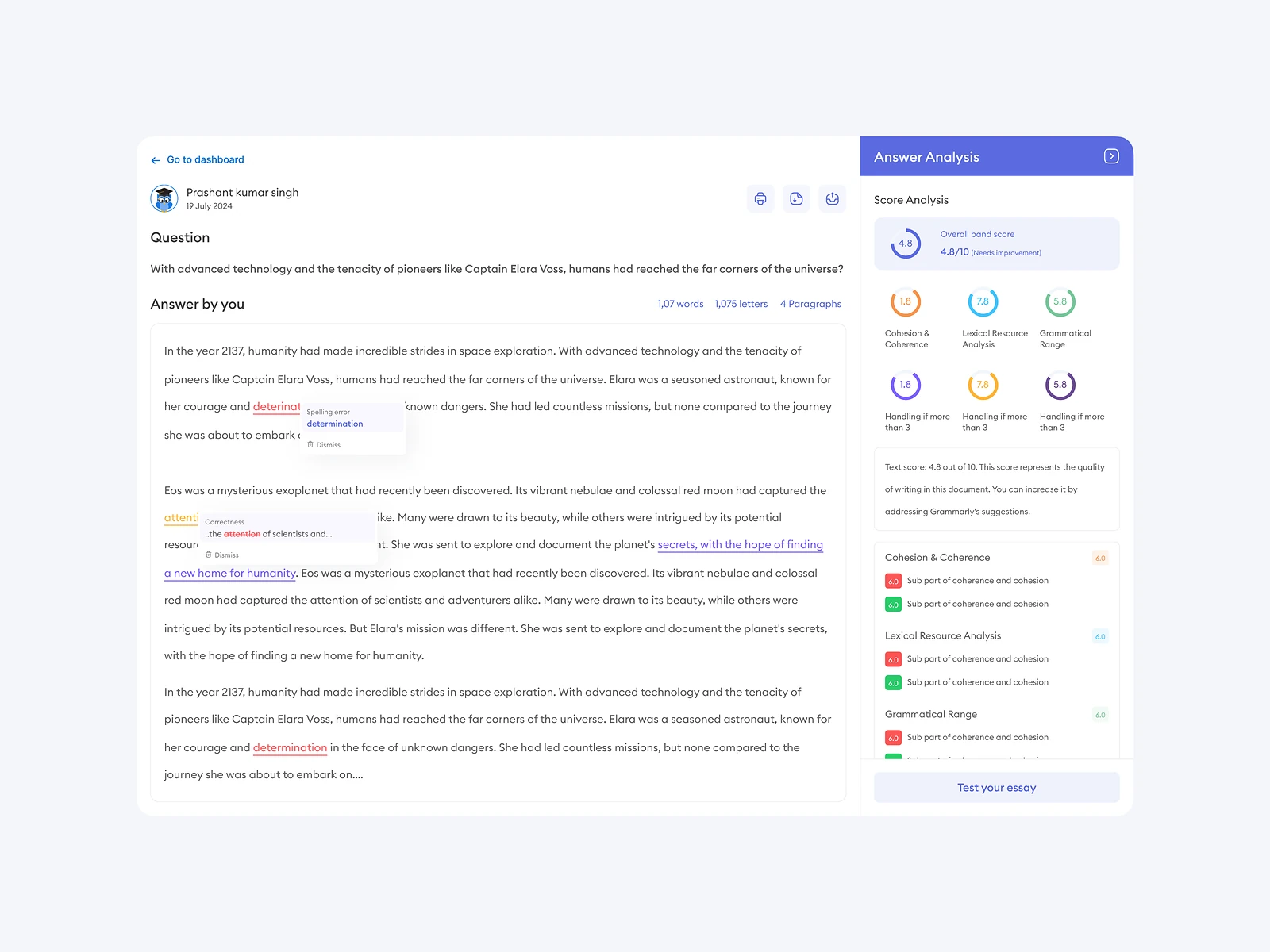
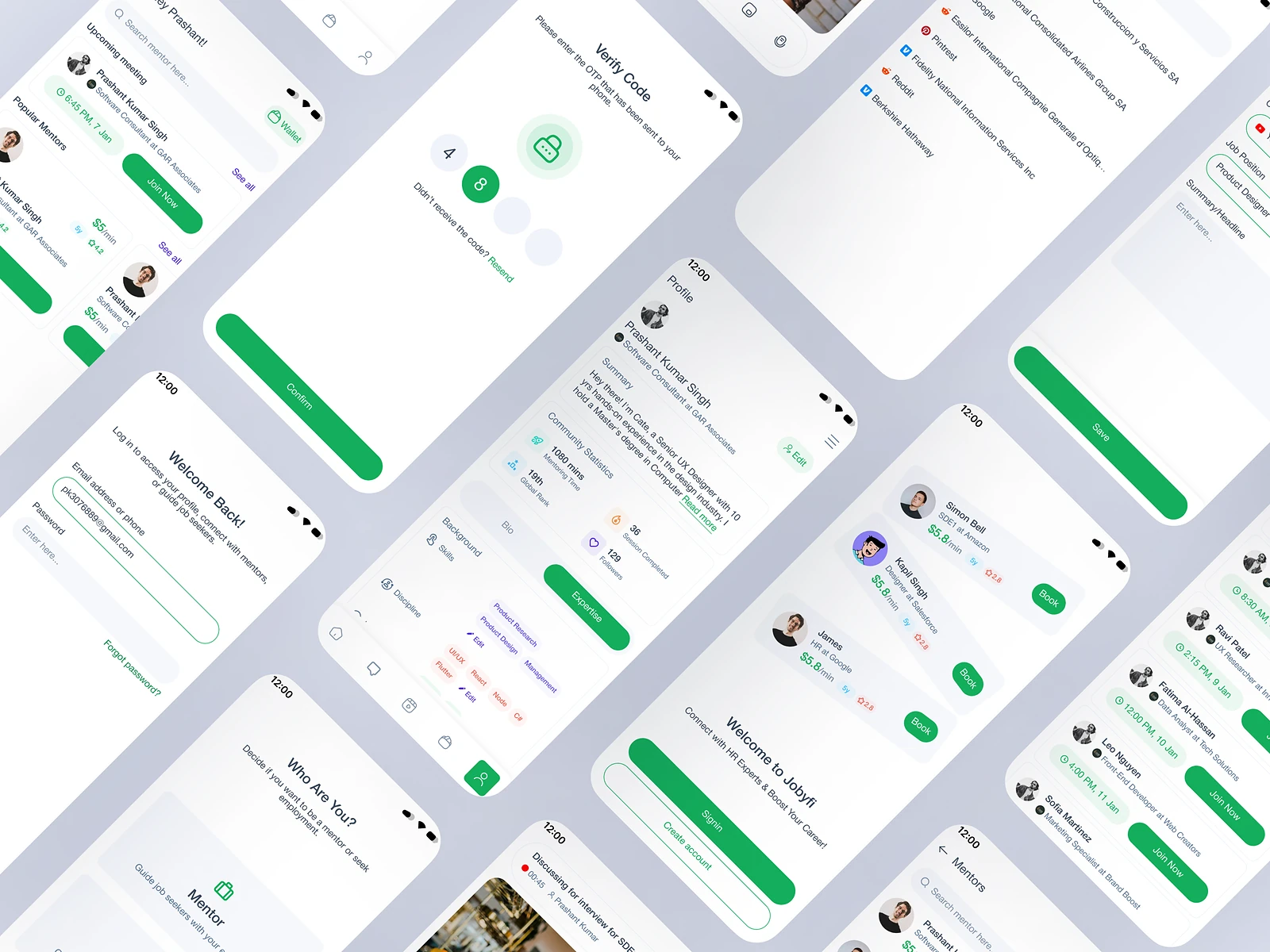
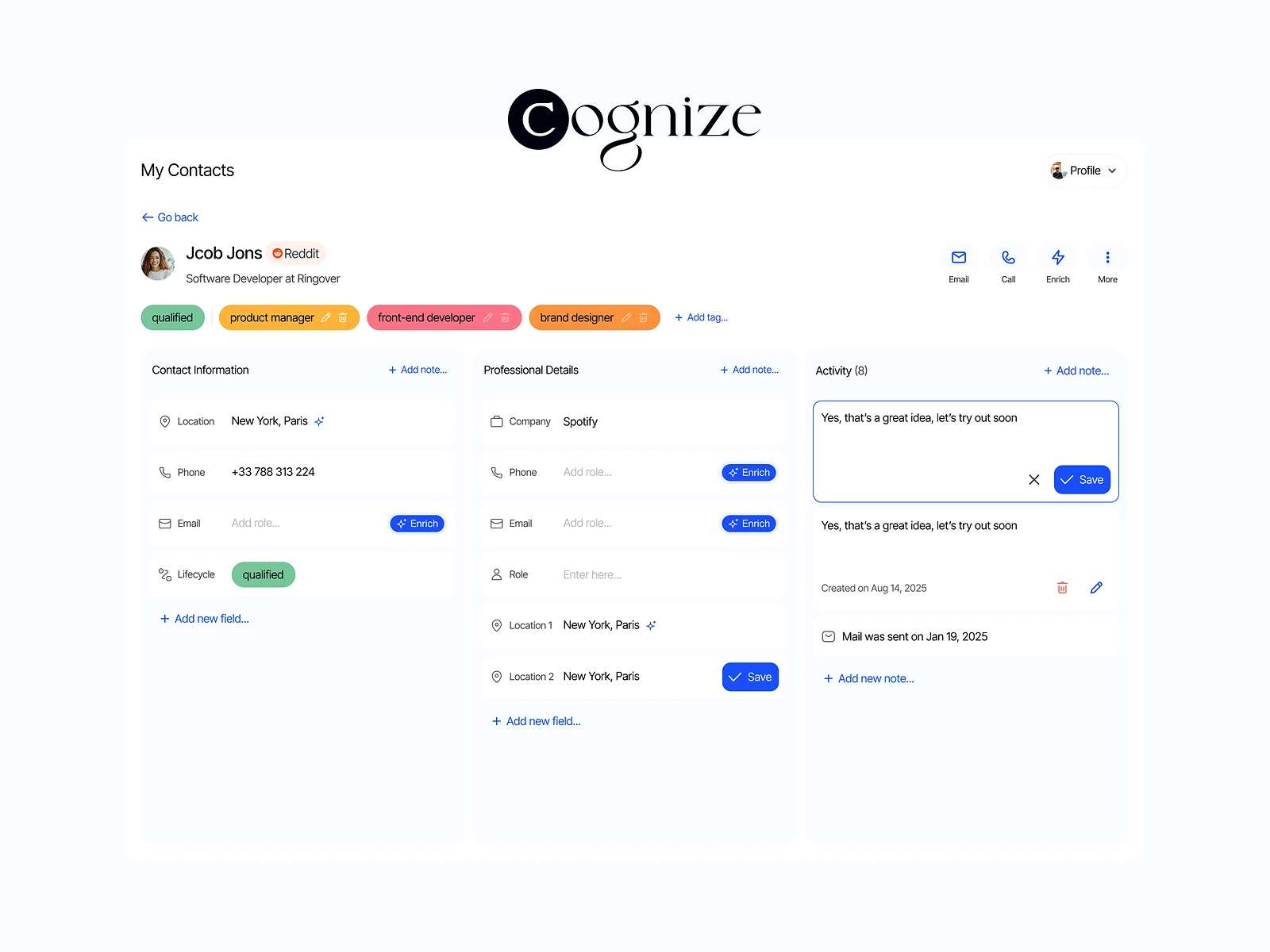
Calling, messaging and email in one workspace

The platform

The core product had to make real-time communication feel simple while staying in sync with external CRMs.

How I approached it
  • I designed the call, inbox and contact screens together, because a call always starts from a person and ends in a log. Treating them as one flow kept the states consistent.
  • Building the front-end myself meant designs were tested against real SDK events early, which caught edge cases like dropped calls and delayed SMS receipts before they reached users.
The components that let a small team move fast

Design system

With a few people designing and building, every inconsistency multiplied.

How I approached it
  • I set up tokens and components for the patterns we used most: call bars, inbox rows, composer, contact cards, empty states and toasts.
  • Components were designed with their states up front (loading, error, empty, disabled), which is where most of the build time goes.

Taking the product to where reps already work

Chrome extension and marketing

Reps lived in their CRM and in prospects’ websites, and the product needed visuals to win them over.

How I approached it
  • The extension brings calling and messaging into any page with a compact panel that mirrors the web app’s states.
  • I also designed the marketing visuals and social ads, so the story the product told matched what people saw when they signed up.

An AI-powered IELTS and TOEFL learning product

Accioibis learning platform

Test takers needed structure: a plan, practice and a clear view of progress.

How I approached it
  • I designed personal learning paths, mock tests and performance analytics that show exactly what to work on next.
  • Motivation was a design problem as much as content: progress is visible on every screen, and each session ends with one clear next task.

04Key decisions

Choices that shaped it

What I considered, what I chose, and why.

Decision 01

One inbox for every channel

Calls, SMS and email each had their own list, so a single conversation with a prospect was split three ways.

Considered

Separate tabs per channel, mirroring the tools teams already used.

Chosen

A single inbox ordered by person, with every channel in one thread.

Why it works

Reps think in people, not channels. One thread made context obvious and cut the switching.

Decision 02

Call state you can’t miss

Real-time calls have many states: ringing, connected, on hold, muted, transferring. Getting them wrong is costly mid-call.

Considered

A small status label in the corner of the screen.

Chosen

A persistent call bar with large, distinct states and the two most-used controls always in the same place.

Why it works

During a call, attention is on the person, not the screen. The interface had to be readable at a glance.

Decision 03

Meet reps in the browser

Reps spent their day in the CRM and on prospects’ websites, not in our app.

Considered

Ask them to keep the web app open in a second window.

Chosen

A Chrome extension that brings calling and messaging to whatever page they’re on.

Why it works

Adoption follows convenience. Going to where the work already happens beat asking people to change habits.

05How it was built

Designed and built

I designed it and wrote the code, so the design survived contact with reality.

Interface

  • React
  • Redux
  • Next.js prototypes
  • Chrome extension

Real-time

  • Vonage SDK
  • Call and SMS events

Services

  • Node.js
  • Express
  • MongoDB

Cloud & integrations

  • AWS
  • Freshsales
  • GoHighLevel
  • Google APIs

06Outcome

What was delivered

Delivered

  • Product vision shaped with the founders through research and rapid prototypes
  • Product interface, design system and marketing visuals designed
  • Real-time calling, messaging and email built in React and Redux on the Vonage SDK
  • Node.js, Express and MongoDB services on AWS integrating Freshsales, GoHighLevel and Google APIs
  • A Chrome extension and an AI-powered IELTS and TOEFL learning platform designed

What I learned

  1. 01

    In an early team, a working prototype ends more debates than any document.

  2. 02

    Designing the states first (loading, error, empty) is where real-time products are won or lost.

Next step

Tell me what you're building.
I'll tell you how I'd ship it.

Pick a time that suits you. You'll leave the call with a clear next step, whether we work together or not.

Book a free call

Free · 30 minutes · No commitment

Prefer email? prashantkumarsingh.work@gmail.com