Skip to content

Freelance project · AI products

PromptSpot

One spot to find, share and save the prompts that work

PromptSpot is a community where people share prompts that work and discover ones made by others, organised by task. It’s for anyone who uses AI and wants better results without starting from a blank page. I designed the discovery, prompt page and publishing flows, then released the design publicly as a community file.

Role
Product design
Type
Freelance
Platforms
Web
Scope
UX, UI design, Community

01The problem

What needed solving

Good prompts are scattered across social posts, forum threads and personal notes, and there’s no easy way to tell which ones produce good results. A plain list of prompts quickly turns into noise. PromptSpot needed to help people find the right prompt for a task and judge its quality before copying it.

Who it’s for

  • Everyday AI users

    Find a proven prompt for a task without writing one from scratch.

  • Prompt writers

    Share their work, get credit for it and see how others use it.

  • Teams and educators

    Collect useful prompts into sets they can point others to.

02The main flow

Finding a prompt that works

The moment in blue is the one the whole design is built around.
  1. 01

    Browse by task

  2. 02

    Scan prompt cards

  3. 03

    View a sample result

  4. 04

    Fill in the variables

  5. 05

    Copy or save

03Structure

How PromptSpot is organised

Everything has one home. Getting this right first keeps every screen simpler.

Discover

  • Home feed
  • Task categories
  • Search
  • Trending

Prompt page

  • Prompt text
  • Variables
  • Sample result
  • Comments

Create

  • New prompt
  • Mark variables
  • Attach a sample

Profile

  • My prompts
  • Saved sets
  • Followers

04Key decisions

Choices that shaped it

What I considered, what I chose, and why.

Decision 01

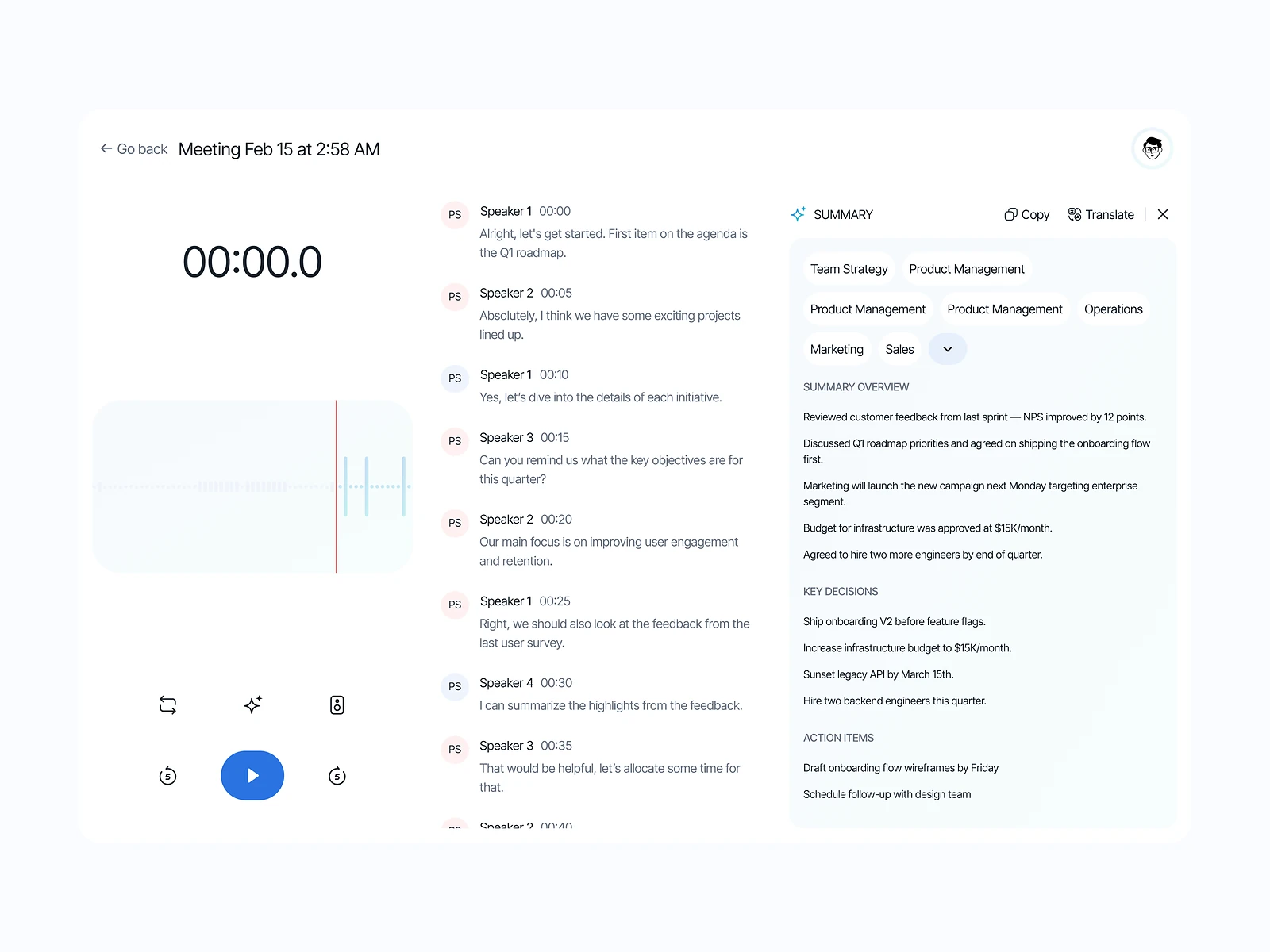
A sample result on every card

Reading a prompt rarely tells you whether it produces a good answer, so people copy it, try it and come back disappointed.

Considered

Text-only cards, with upvotes as the only signal of quality.

Chosen

I made a sample result a required part of publishing, shown as a short preview on each card and in full on the prompt page.

Why it works

Seeing the output lets people judge a prompt quickly and pushes authors to share ones they’ve actually tried. Publishing takes a little longer, which also filters out low-effort posts.
Decision 02

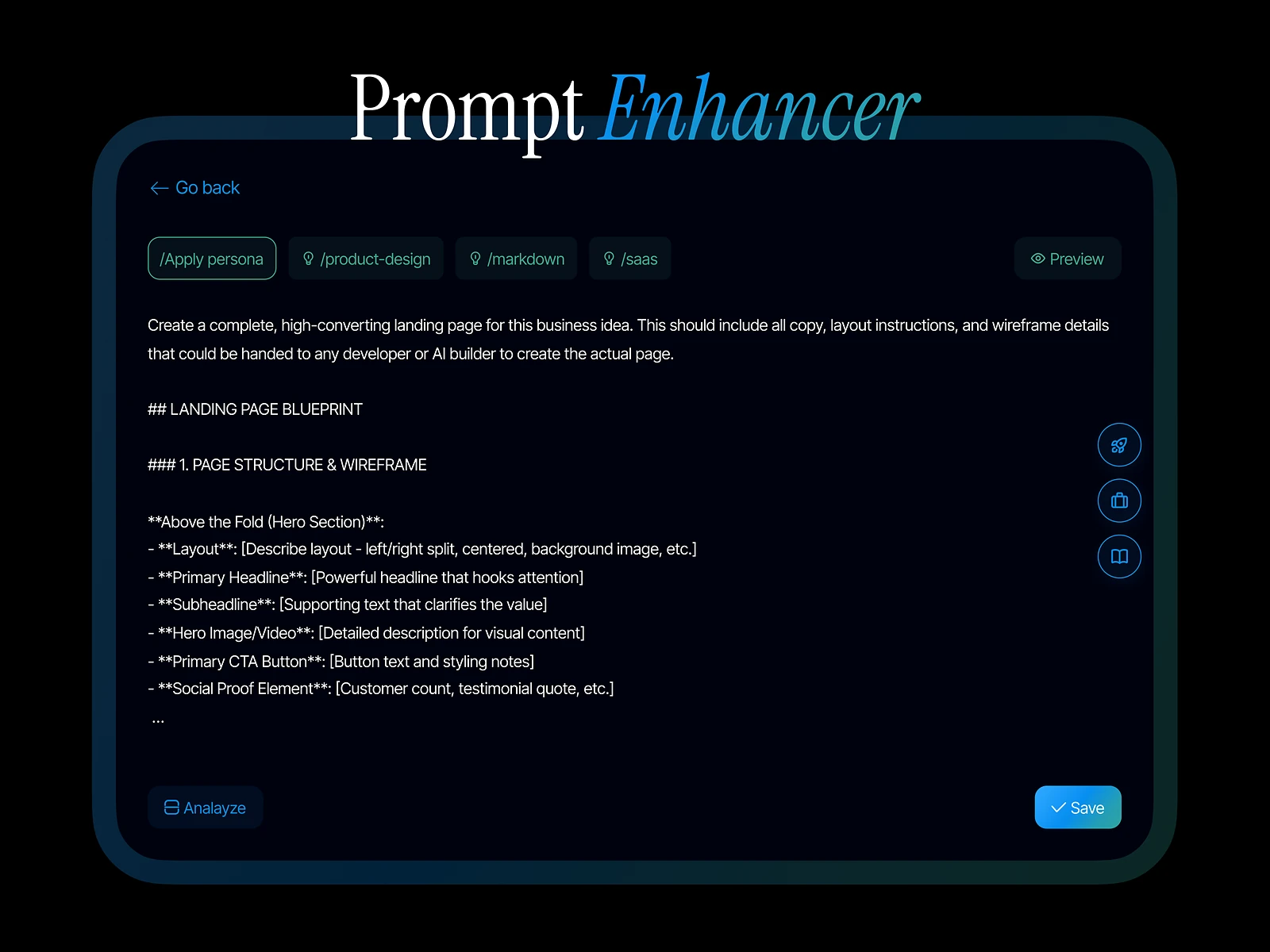
Variables instead of edit-and-paste

Shared prompts often contain placeholders like [topic] that users must find and replace by hand, and one is easily missed.

Considered

Plain prompt text with the brackets left for the user to edit.

Chosen

I designed a fill-in field for each variable on the prompt page, so the copied prompt is already complete.

Why it works

It removes a common error and makes a prompt feel like a small tool rather than a snippet. Authors have to mark variables when publishing, so I made that a single highlight-and-tag action.

Decision 03

Organise by task, not by AI model

Prompts could be grouped by the model they were written for, but most people start from what they need to get done.

Considered

Top-level navigation by AI model.

Chosen

I made tasks the main way to browse, such as writing, coding, research or design, with the model shown as a small tag on each card.

Why it works

Task-first browsing matches how people arrive with a need. Model tags still allow filtering, without splitting the library into separate silos.

05What’s inside

Key features

Task-based discovery

Browse prompts by what you want to get done.

Sample results

See what a prompt produces before you copy it.

Fill-in variables

Complete each placeholder in a field and copy a ready prompt.

Saved sets

Collect prompts into sets and share them with others.

Author profiles

Follow prompt writers and see everything they’ve shared.

06Outcome

What was delivered

Delivered

  • Discovery screens: home feed, task categories, search and trending
  • A prompt page with variables, sample result and comments
  • A publishing flow with variable tagging and sample upload
  • Author profiles and saved sets
  • A reusable component file, released publicly as a community design file

What I learned

  1. 01

    In a community product, the shape of a single post decides the quality of the whole library.

  2. 02

    Asking authors for a little more effort can raise the quality for everyone who reads.

Next step

Tell me what you're building.
I'll tell you how I'd ship it.

Pick a time that suits you. You'll leave the call with a clear next step, whether we work together or not.

Book a free call

Free · 30 minutes · No commitment

Prefer email? prashantkumarsingh.work@gmail.com