Skip to content

Freelance project · AI products

Prompt Enhancer

Turn a rough prompt into one that gets the answer you need

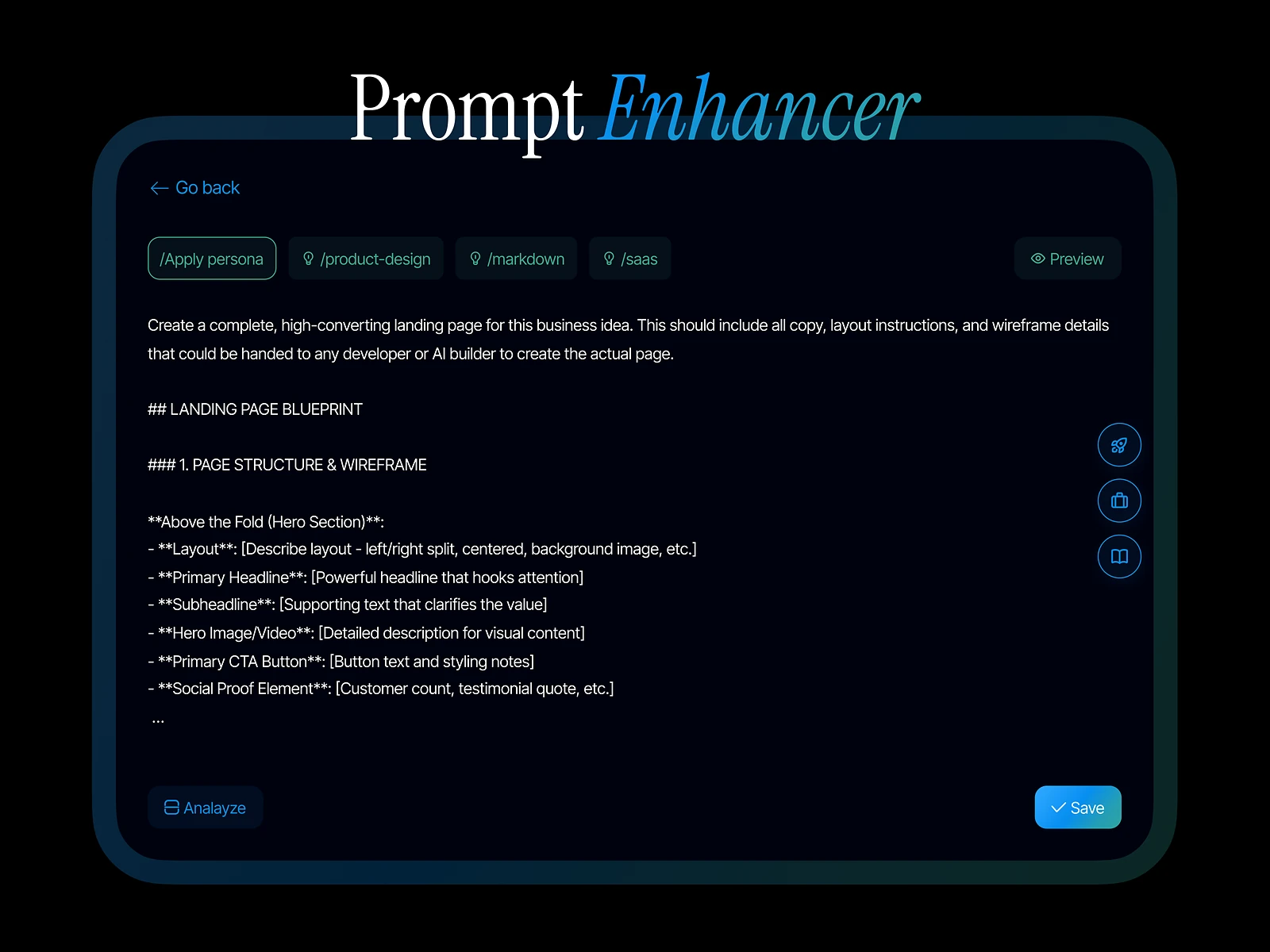
Prompt Enhancer is a lightweight AI tool that improves prompts with persona layers, domain tags and structured blueprints, so AI answers come back more accurate. It’s for people who use AI every day but don’t want to learn prompt engineering. I designed the product, from the input screen to the enhanced result.

Prompt Enhancer: Context-aware prompt builder
Role
Product design
Type
Freelance
Platforms
Web
Scope
UX, UI design

01The problem

What needed solving

Most people type a short request into an AI tool and get a vague answer back. Good prompts need a role, context and structure, but asking users to learn that adds the very work they came to the tool to avoid.

Who it’s for

  • Everyday AI users

    Better answers without learning how to write prompts.

  • Marketers and writers

    Prompts that keep the right tone and domain every time.

  • Developers and analysts

    Structured prompts they can reuse for repeat tasks.

02The main flow

From rough idea to strong prompt

The moment in blue is the one the whole design is built around.
  1. 01

    Type a rough prompt

  2. 02

    Pick a persona

  3. 03

    Add domain tags

  4. 04

    Compare enhanced prompt

  5. 05

    Copy and use

03Structure

How Prompt Enhancer is organised

Everything has one home. Getting this right first keeps every screen simpler.

Compose

  • Prompt input
  • Persona layers
  • Domain tags

Blueprints

  • Blueprint library
  • Blueprint preview

Result

  • Enhanced prompt
  • What changed
  • Copy

Library

  • Saved prompts
  • History

04Key decisions

Choices that shaped it

What I considered, what I chose, and why.

Decision 01

Show what was added

An enhancer that silently rewrites a prompt leaves users unsure what changed, or whether it still says what they meant.

Considered

Replacing the user’s text with the enhanced version in place.

Chosen

The result sits next to the original, with the persona, domain and structure additions marked.

Why it works

Users can check that their intent survived, and over time they learn to write better prompts themselves.
Decision 02

Layers instead of a long form

A good prompt needs several kinds of context, but a form with every field would make a quick tool feel heavy.

Considered

A single form asking for role, audience, tone, format and constraints every time.

Chosen

Persona, domain and blueprint are three optional layers the user can stack on a prompt, each one a single choice.

Why it works

Most prompts need one or two layers, not all of them. Optional layers keep the common case fast and the rich case possible.

Decision 03

Blueprints for the answer’s shape

Many AI answers go wrong because the prompt never says what shape the output should take.

Considered

A free-text field where users describe the output format themselves.

Chosen

Structured blueprints offer ready shapes for common tasks, with a preview before they are applied.

Why it works

Choosing a shape is easier than describing one, and the preview avoids surprises.

05What’s inside

Key features

Persona layers

Sets the role the AI should answer as, such as an editor or an analyst.

Domain tags

Adds the field’s context so answers use the right terms.

Structured blueprints

Gives the output a clear shape for common tasks.

One-step enhance

Turns a rough prompt into a complete one in a single action.

Side-by-side result

Shows the original and the enhanced prompt with the changes marked.

06Outcome

What was delivered

Delivered

  • Prompt input with persona, domain and blueprint controls
  • Side-by-side result view with marked changes
  • Blueprint library with previews
  • Component states and copy for every control
  • Design files handed over for build

What I learned

  1. 01

    I wanted the tool to teach as it helps, so users could see why a prompt worked.

  2. 02

    Optional depth kept the product light. Most of the design work was deciding what not to ask.

Next step

Tell me what you're building.
I'll tell you how I'd ship it.

Pick a time that suits you. You'll leave the call with a clear next step, whether we work together or not.

Book a free call

Free · 30 minutes · No commitment

Prefer email? prashantkumarsingh.work@gmail.com