Skip to content

Freelance project · AI products

Pocket

Turn any article into audio you can listen to on the move

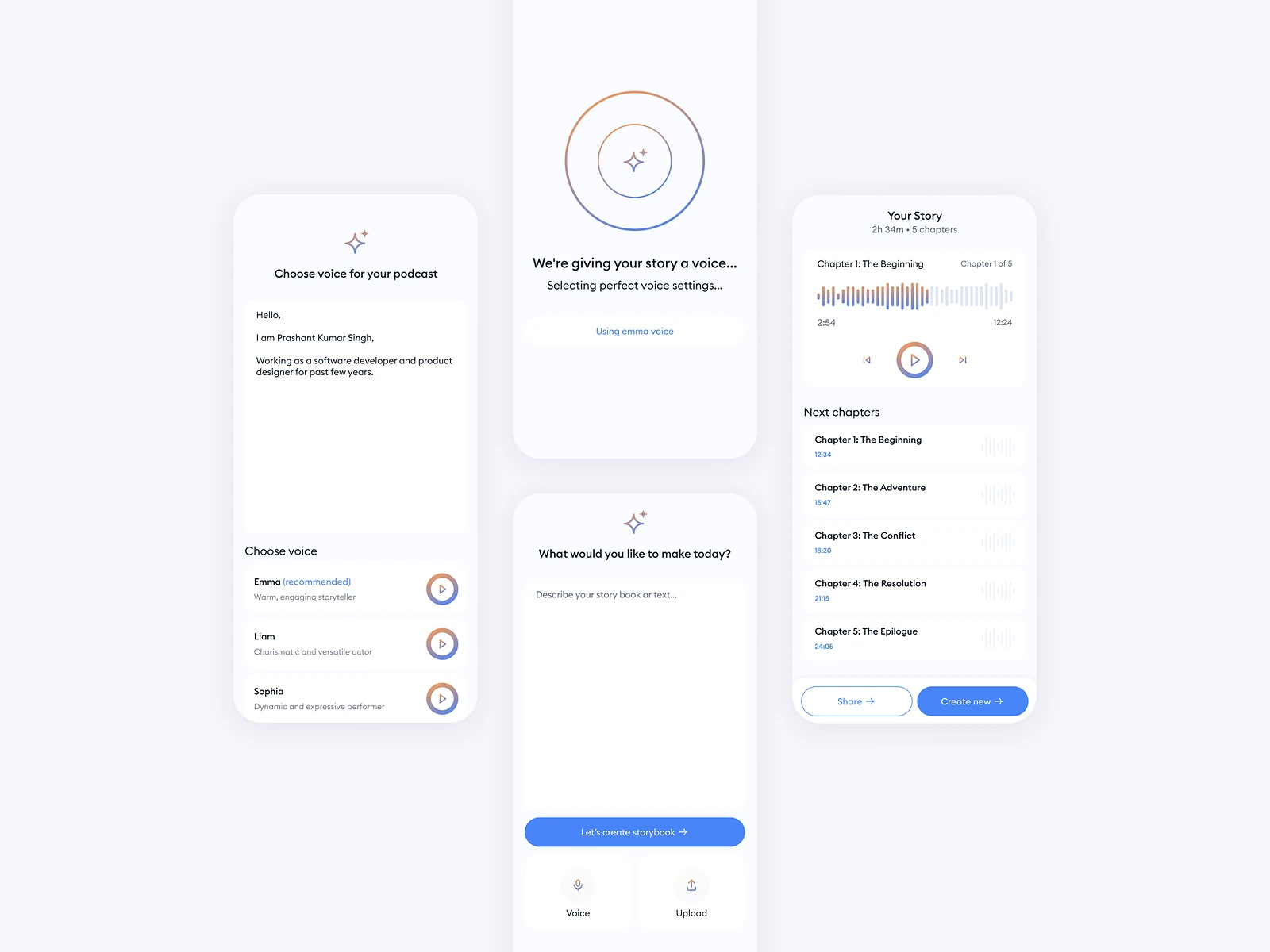
Pocket turns any article, blog or text into high-quality audio narration. It’s for people who want to keep up with their reading while commuting, working out or multitasking. I designed the mobile app, from saving a piece to listening to it.

Pocket: Text to audiobook
Role
Product design
Type
Freelance
Platforms
iOS, Android
Scope
UX, UI design, Mobile

01The problem

What needed solving

People save more articles than they ever read, because reading needs both eyes and a free moment. Audio fits the time they do have, but a listening app has to work one-handed, at a glance and often with the screen off.

Who it’s for

  • Daily commuters

    Saved reading turned into listening for the journey.

  • People working out

    Controls they can use without stopping or looking for long.

  • Busy readers

    A queue that clears their reading list while they do other things.

02The main flow

From article to audio

The moment in blue is the one the whole design is built around.
  1. 01

    Find an article

  2. 02

    Share to Pocket

  3. 03

    Audio is generated

  4. 04

    Listen on the go

  5. 05

    Resume later

03Structure

How Pocket is organised

Everything has one home. Getting this right first keeps every screen simpler.

Library

  • Queue
  • Saved pieces
  • Finished

Add

  • Share from browser
  • Paste a link
  • Paste text

Player

  • Playback controls
  • Voice and speed
  • Read along

Profile

  • Preferences
  • Account

04Key decisions

Choices that shaped it

What I considered, what I chose, and why.

Decision 01

The queue is the home screen

A library of saved articles is a reading list in disguise, and it grows faster than anyone clears it.

Considered

A home screen of saved articles in a grid, like a reading app.

Chosen

Pocket opens on a listening queue: the next piece is ready to play, and the rest line up behind it.

Why it works

Listening is linear. A queue removes the choice of what to play next, which is what people want when their hands are busy.
Decision 02

Controls for one hand and a glance

People listen while walking or training, when they can’t look at the screen for long.

Considered

A standard media player layout with small controls and a fine scrubber.

Chosen

I made play, skip back and skip forward the largest targets, kept speed and voice one tap away, and moved everything else out of the player.

Why it works

In motion, a missed tap costs more than a missing feature. Big targets in fixed places work by feel.

Decision 03

Save from where people read

If saving a piece means opening the app and pasting a link, most pieces never get saved.

Considered

Adding articles only from inside the app.

Chosen

Pocket appears in the system share sheet, and links or text pasted in the app go to the same queue.

Why it works

The moment to save is when someone finds the piece, not later. Meeting them in the share sheet catches that moment.

05What’s inside

Key features

Share to listen

Saves any article from the share sheet straight into the queue.

Natural narration

Reads articles, blogs and pasted text aloud in a high-quality voice.

Listening queue

Lines up saved pieces so the next one is always ready.

Voice and speed

Lets listeners choose a voice and set the reading pace.

Read along

Shows the text in step with the narration for people who want both.

06Outcome

What was delivered

Delivered

  • iOS and Android flows from save to listen
  • Listening queue and library screens
  • One-hand player with voice, speed and read-along views
  • Share-sheet and paste flows for adding text
  • Screen states and components handed over for build

What I learned

  1. 01

    Designing for audio meant designing for moments when people aren’t looking. Fewer, bigger controls did more than extra features.

  2. 02

    The share sheet was the real front door of the app.

Next step

Tell me what you're building.
I'll tell you how I'd ship it.

Pick a time that suits you. You'll leave the call with a clear next step, whether we work together or not.

Book a free call

Free · 30 minutes · No commitment

Prefer email? prashantkumarsingh.work@gmail.com