Skip to content

Own product · SaaS

LinkSaver

Save, organise and find every useful link without losing track

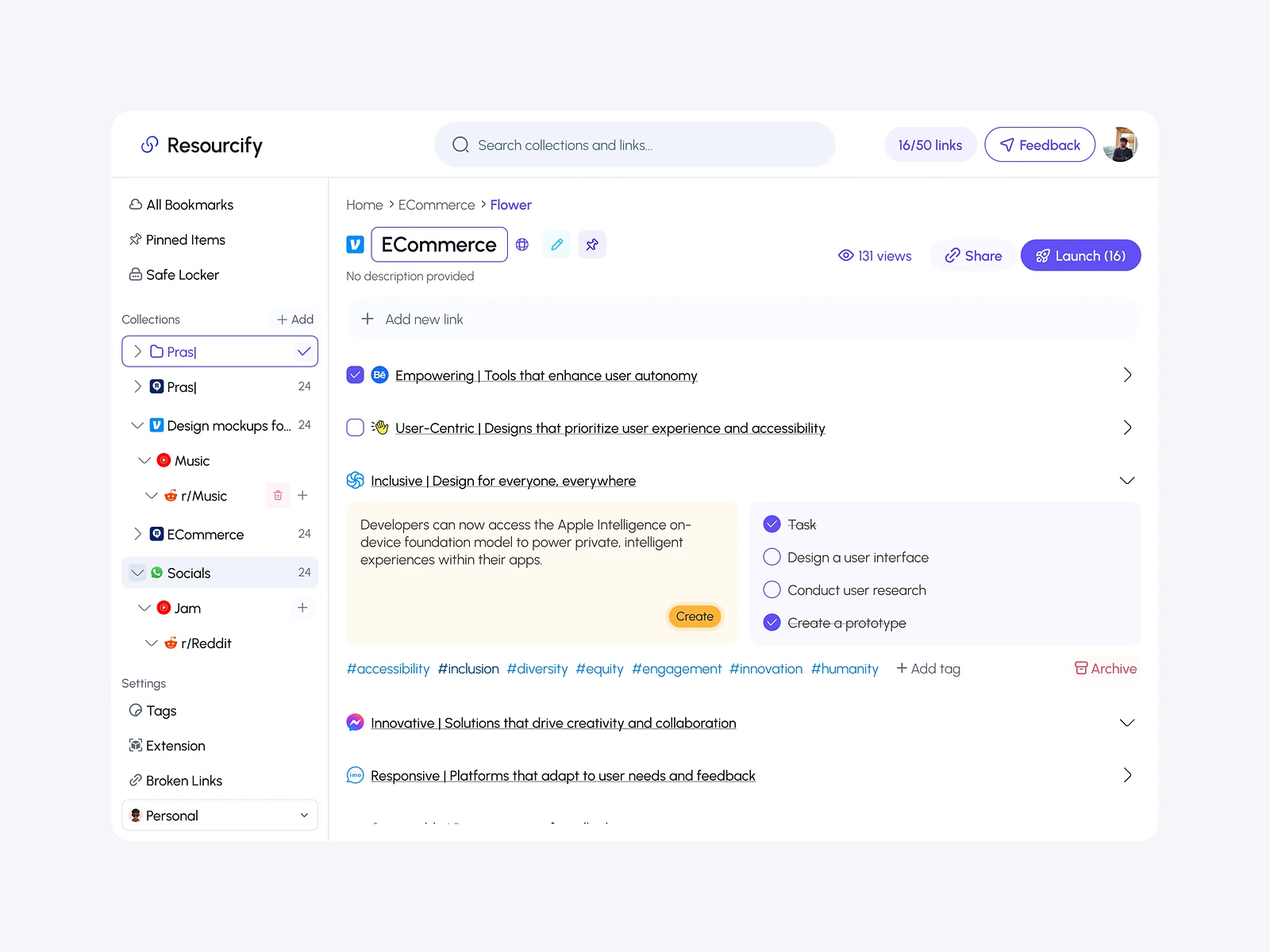
LinkSaver is a smart resource manager, live at linksaver.in. People save links into nested collections, organise them by drag and drop, add notes and tags, and find anything with smart search, including from a Chrome extension. It is my own product: I designed it and built it with a React front-end and a Go back-end.

LinkSaver: Smart resource manager
Role
Design + development
Type
My own product
Platforms
Web, Chrome extension
Scope
Product, UX, UI design, React

01The problem

What needed solving

Useful links end up spread across browser bookmarks, chats, notes and open tabs. Bookmark folders get messy fast, and saved links are hard to find again when you need them. LinkSaver had to make saving quick and finding even quicker.

Who it’s for

  • Developers

    Keep docs, snippets and references sorted by project.

  • Designers

    Group inspiration and resources so they are easy to revisit.

  • Students and researchers

    Organise sources by topic, with their own notes.

02The main flow

From page to saved resource

The moment in blue is the one the whole design is built around.
  1. 01

    Find a useful page

  2. 02

    Save with the extension

  3. 03

    Drop into a collection

  4. 04

    Add notes and tags

  5. 05

    Find it with search

03Structure

How LinkSaver is organised

Everything has one home. Getting this right first keeps every screen simpler.

Library

  • Collections
  • Nested folders
  • Pinned

Link

  • Notes
  • Tags
  • Source page

Views

  • List
  • Treemap

Search

  • Smart search
  • Tag filters

Extension

  • Quick save
  • Choose collection

04Key decisions

Choices that shaped it

What I considered, what I chose, and why.

Decision 01

Save first, organise later

If saving asks for a folder, tags and notes every time, people stop saving.

Considered

A full save form in the extension with every field required.

Chosen

The extension saves in one click to a default collection, with collection, notes and tags optional at the moment of saving.

Why it works

Capture has to be instant or it doesn’t happen. Organising can wait for a calmer moment in the web app.

Decision 02

A treemap of the whole library

Nested folders hide how big each area of a library has become.

Considered

A plain folder tree with counts next to each name.

Chosen

I added a treemap view where each collection’s size shows how many resources it holds, and clicking one opens it.

Why it works

It turns a deep tree into one picture. People see where their library is cluttered and where to tidy.

Decision 03

Drag and drop across nested collections

Moving links between nested folders through menus takes several clicks and is easy to get wrong.

Considered

A Move to menu with a folder picker on each link.

Chosen

Links and collections can be dragged anywhere in the tree, with clear drop targets at every level.

Why it works

Direct moves make tidying a quick habit rather than a chore. The tree always shows where things will land.

05What’s inside

Key features

Nested collections

Folders inside folders, for libraries of any shape.

Treemap view

See how a library is spread across collections.

Smart search

Find links by title, note or tag.

Notes, tags and pins

Context and priority saved with each link.

Chrome extension

Save the page you are on in one click.

06How it was built

Designed and built

I designed it and wrote the code, so the design survived contact with reality.

Interface

  • React
  • Treemap visualisation
  • Drag-and-drop tree

Back-end

  • Go API
  • Search

Data

  • PostgreSQL
  • Collections and tags

Extension

  • Chrome extension
  • Quick save

07Outcome

What was delivered

Delivered

  • A live product at linksaver.in
  • A web app with nested collections, drag and drop, notes, pinning and tags
  • A treemap view of the whole library
  • Smart search across saved resources
  • A Chrome extension for saving from any page

What I learned

  1. 01

    Capture and organisation are different moments. Designing them separately made both easier.

  2. 02

    A visual overview like the treemap shows what no folder tree can: the shape of a collection.

Next step

Tell me what you're building.
I'll tell you how I'd ship it.

Pick a time that suits you. You'll leave the call with a clear next step, whether we work together or not.

Book a free call

Free · 30 minutes · No commitment

Prefer email? prashantkumarsingh.work@gmail.com