Skip to content

Freelance project · SaaS

Smart India Hackathon 2024

A clickable, demo-ready prototype designed under hackathon time pressure

For Smart India Hackathon 2024 I designed the prototype for our team’s solution: a web product built around one problem statement and judged on a live demo. I owned the flows and the UI, working beside the developers so design and build came together in time for judging.

Role
Product design
Type
Freelance
Platforms
Web
Scope
Rapid prototyping, UI design

01The problem

What needed solving

A hackathon gives a team very little time to understand a problem, settle on a solution and show it working. Design can easily become the bottleneck, or be skipped and leave developers guessing. I had to produce something clear enough to build from and good enough to explain the idea to judges in a short demo.

Who it’s for

  • Hackathon judges

    Need to understand the problem, the idea and why it works within a short demo.

  • Our developers

    Need screens and flows early enough to build against, without waiting for polish.

  • Intended end users

    Need the core task to make sense the first time they see it.

02The main flow

The demo path

The moment in blue is the one the whole design is built around.
  1. 01

    State the problem

  2. 02

    Show the starting point

  3. 03

    Run the core task

  4. 04

    Show the result

  5. 05

    Share what comes next

03Structure

How Smart India Hackathon 2024 prototype is organised

Everything has one home. Getting this right first keeps every screen simpler.

Entry

  • Sign in
  • Quick setup

Core task

  • Input
  • Processing state
  • Result

Dashboard

  • Overview
  • History

Demo support

  • Sample data
  • Roadmap screen

04Key decisions

Choices that shaped it

What I considered, what I chose, and why.

Decision 01

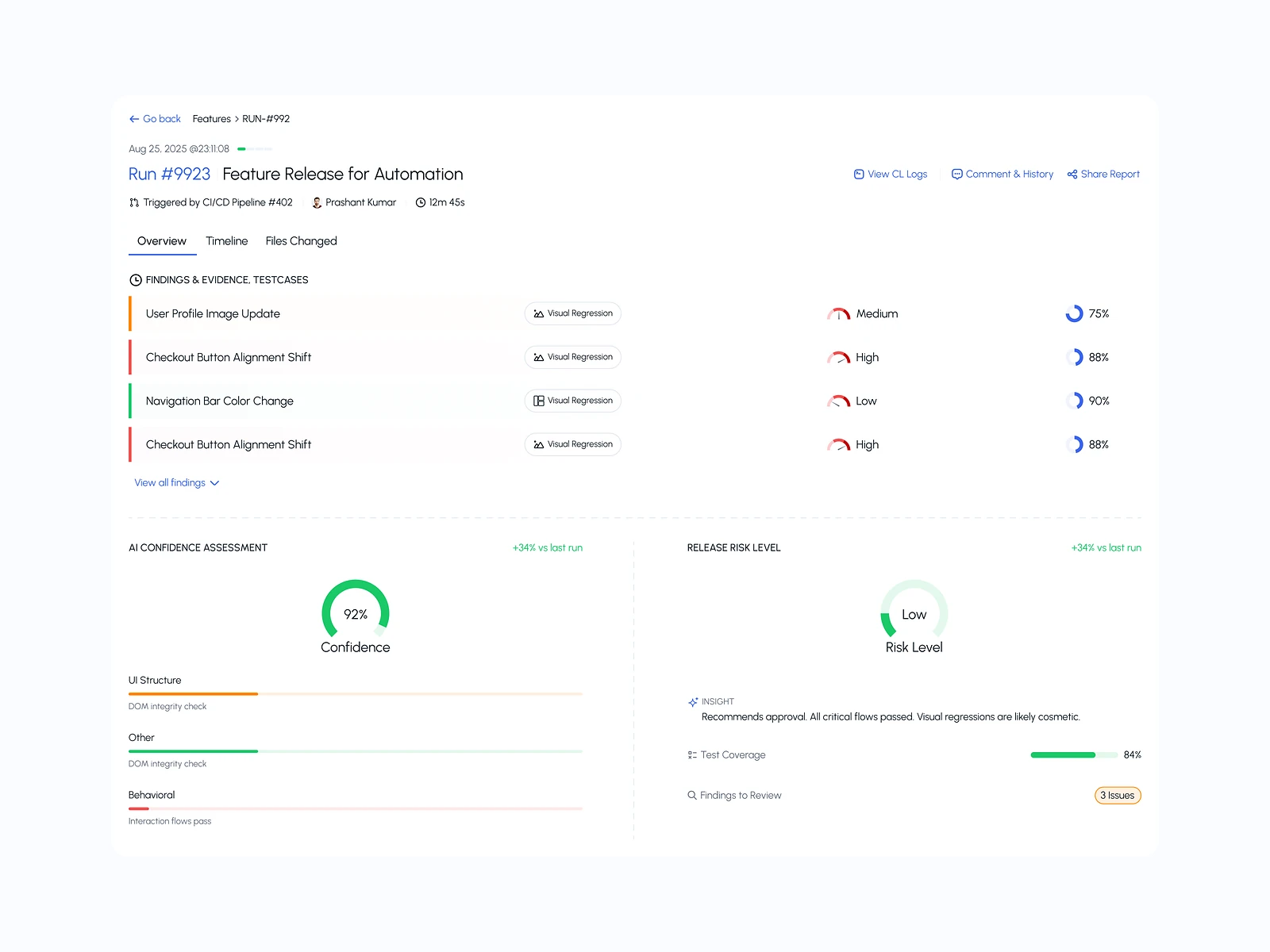
One flow, fully finished

With little time, it is tempting to sketch every feature at a low level of detail.

Considered

Covering many features with rough, partly working screens.

Chosen

I designed one core flow end to end with real content and every state it needs, and showed the other features only as a short roadmap screen.

Why it works

Judges remember one thing that works over several that half work, and the developers could build one flow properly.
Decision 02

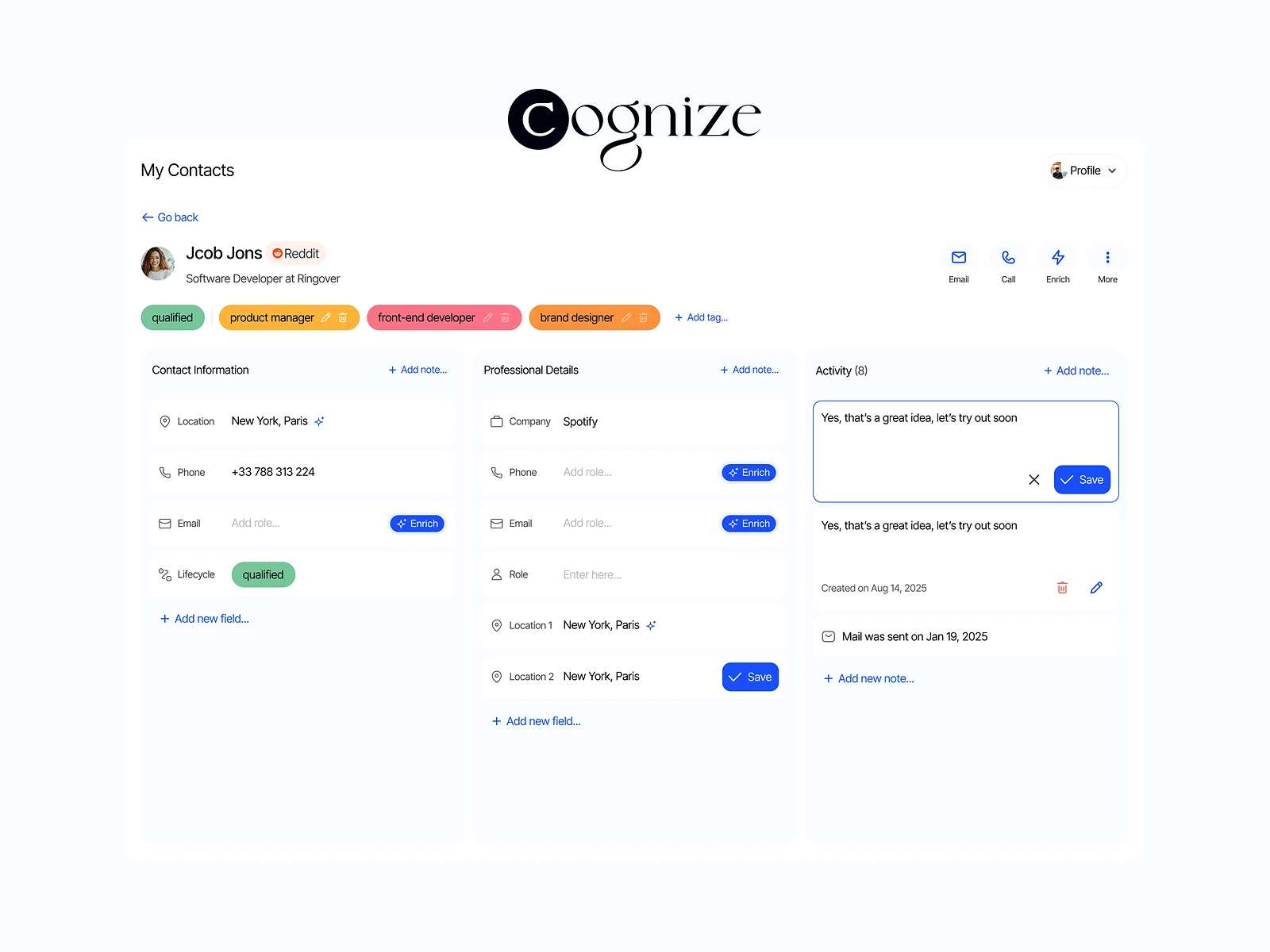
Familiar patterns, no new ones

New interaction patterns need explaining and testing, and there was no time for either.

Considered

A custom, distinctive interface to stand out visually.

Chosen

I used familiar web patterns for navigation, forms and tables, and put the visual effort into typography, spacing and a single accent colour.

Why it works

Familiar patterns let judges focus on the idea rather than learning the interface, and they were faster for the developers to build.

Decision 03

Style values before screens

With design and development running at the same time, small visual differences creep in fast.

Considered

Handing over finished screens and letting developers pick values from them.

Chosen

I set a small set of colours, type sizes and spacing values first and shared them with the developers before any full screen was ready.

Why it works

It let the build start in parallel and kept screens consistent even when they were coded before I had drawn them.

05What’s inside

Key features

Core flow screens

Every screen of the main task, with loading, empty and error states.

Shared style values

Colours, type and spacing agreed early so the build stayed consistent.

Result screen

A clear view of the outcome of the core task, made to be read at a glance during the demo.

Scripted demo path

A step-by-step walk-through of the product with realistic sample data.

Roadmap screen

Features left out of the build, shown as next steps rather than half-built screens.

06Outcome

What was delivered

Delivered

  • Core user flow designed end to end with all its states
  • Shared colour, type and spacing values for the developers
  • Clickable prototype for the team’s demo
  • Demo script aligned with the user journey

What I learned

  1. 01

    Under time pressure, deciding what not to design is the most useful design work.

  2. 02

    Sharing style values before screens let design and development run side by side instead of taking turns.

Next step

Tell me what you're building.
I'll tell you how I'd ship it.

Pick a time that suits you. You'll leave the call with a clear next step, whether we work together or not.

Book a free call

Free · 30 minutes · No commitment

Prefer email? prashantkumarsingh.work@gmail.com