Skip to content

Freelance project · SaaS

Verification Portal

Business verification checks with clear status and evidence behind every decision

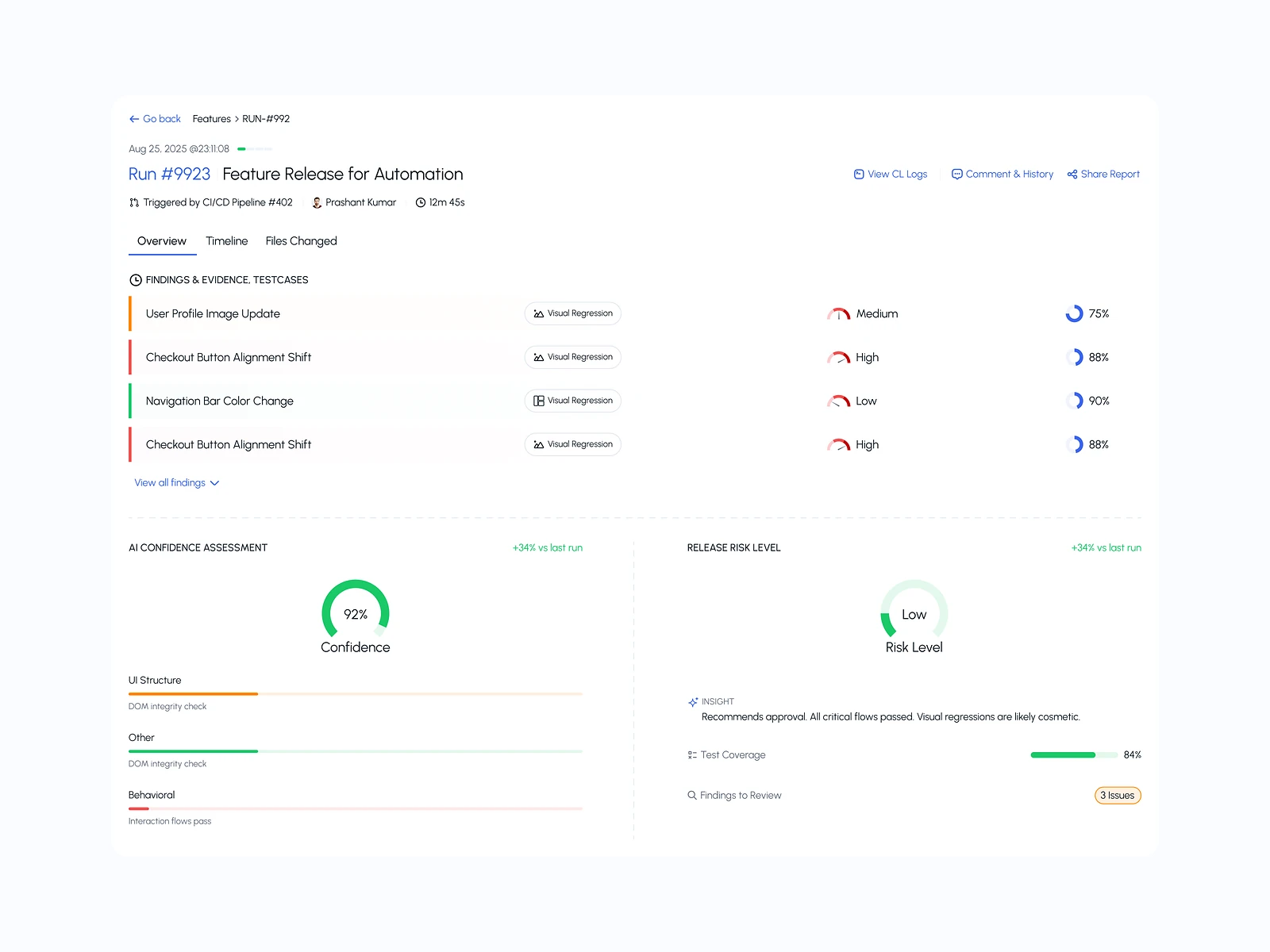
The Verification Portal lets businesses request checks on companies and individuals, upload documents and follow each check to a decision. It also gives reviewers a workspace to examine evidence and record outcomes. I designed both sides: the client portal and the review workspace.

Role
Product design
Type
Freelance
Platforms
Web
Scope
UX, UI design

01The problem

What needed solving

Verification work stalls in the gaps: a request missing a document, a reviewer waiting on a reply, a client unsure whether anything is happening. Each check involves several documents and several people, and the reasons for a decision must stand up later. The design had to keep requests moving and make every decision explainable.

Who it’s for

  • Business clients

    Need to submit checks with the right documents first time and see where each one stands.

  • Verification reviewers

    Need to compare documents and details side by side and record a decision with reasons.

  • Compliance leads

    Need an audit trail showing who decided what, when and on what evidence.

02The main flow

From request to verified

The moment in blue is the one the whole design is built around.
  1. 01

    Choose a check type

  2. 02

    Upload required documents

  3. 03

    Reviewer checks evidence

  4. 04

    Decision with reasons

  5. 05

    Report shared with client

03Structure

How Verification Portal is organised

Everything has one home. Getting this right first keeps every screen simpler.

Requests

  • New check
  • In progress
  • Needs action
  • Completed

Review

  • Assigned to me
  • Evidence view
  • Checklist
  • Decisions

Reports

  • Verification reports
  • Downloads

Audit

  • Activity log
  • Decision history

Account

  • Team members
  • Check types
  • Billing

04Key decisions

Choices that shaped it

What I considered, what I chose, and why.

Decision 01

Ask for less, but ask correctly

A long generic form makes clients upload documents that don’t apply, and they still miss the ones that do.

Considered

One universal request form with a field for every possible document.

Chosen

I made the form adapt to the check type and the kind of subject, listing only the documents required, each with an example of an acceptable upload.

Why it works

Fewer fields mean fewer mistakes, and an example removes much of the back-and-forth that holds checks up.
Decision 02

One clear needs-action status

Clients stopped reading status updates because most of them needed nothing from them.

Considered

Showing clients the full internal status set.

Chosen

I folded internal states into a short client-facing set and gave the needs-action state its own colour, its own tab and an email.

Why it works

Clients care most when the next move is theirs; making that one state stand out is what keeps a check moving.

Decision 03

No decision without a reason

A bare approve or reject tells an auditor nothing months later.

Considered

Approve and reject buttons with an optional comment.

Chosen

I required a reason and a short note for every decision, and linked it to the exact documents the reviewer looked at.

Why it works

It adds a little time to each review, but it makes every decision defensible and makes review quality easy to check.

05What’s inside

Key features

Guided uploads

Each check lists exactly the documents it needs, with examples of good uploads.

Side-by-side review

Reviewers compare a document with the submitted details without switching screens.

Action-needed alerts

Clients hear from the portal when they need to do something, not on every change.

Decision reports

A shareable report shows the outcome, the reasons and the evidence reviewed.

Full audit trail

Every action is logged with the person, the time and the documents involved.

06Outcome

What was delivered

Delivered

  • Adaptive request form for each check type
  • Client dashboard with status tracking and a needs-action tab
  • Reviewer workspace with split evidence view, checklist and decision form
  • Status set with client-facing and internal descriptions
  • Activity log and decision report layouts

What I learned

  1. 01

    Most delays in verification start at intake, so the form deserved as much care as the review screen.

  2. 02

    Clients and reviewers need different words for the same status. Writing both was part of the design, not an afterthought.

Next step

Tell me what you're building.
I'll tell you how I'd ship it.

Pick a time that suits you. You'll leave the call with a clear next step, whether we work together or not.

Book a free call

Free · 30 minutes · No commitment

Prefer email? prashantkumarsingh.work@gmail.com