Skip to content

Freelance project · SaaS

TaskFlow

One place to plan work, set priorities and see what changed

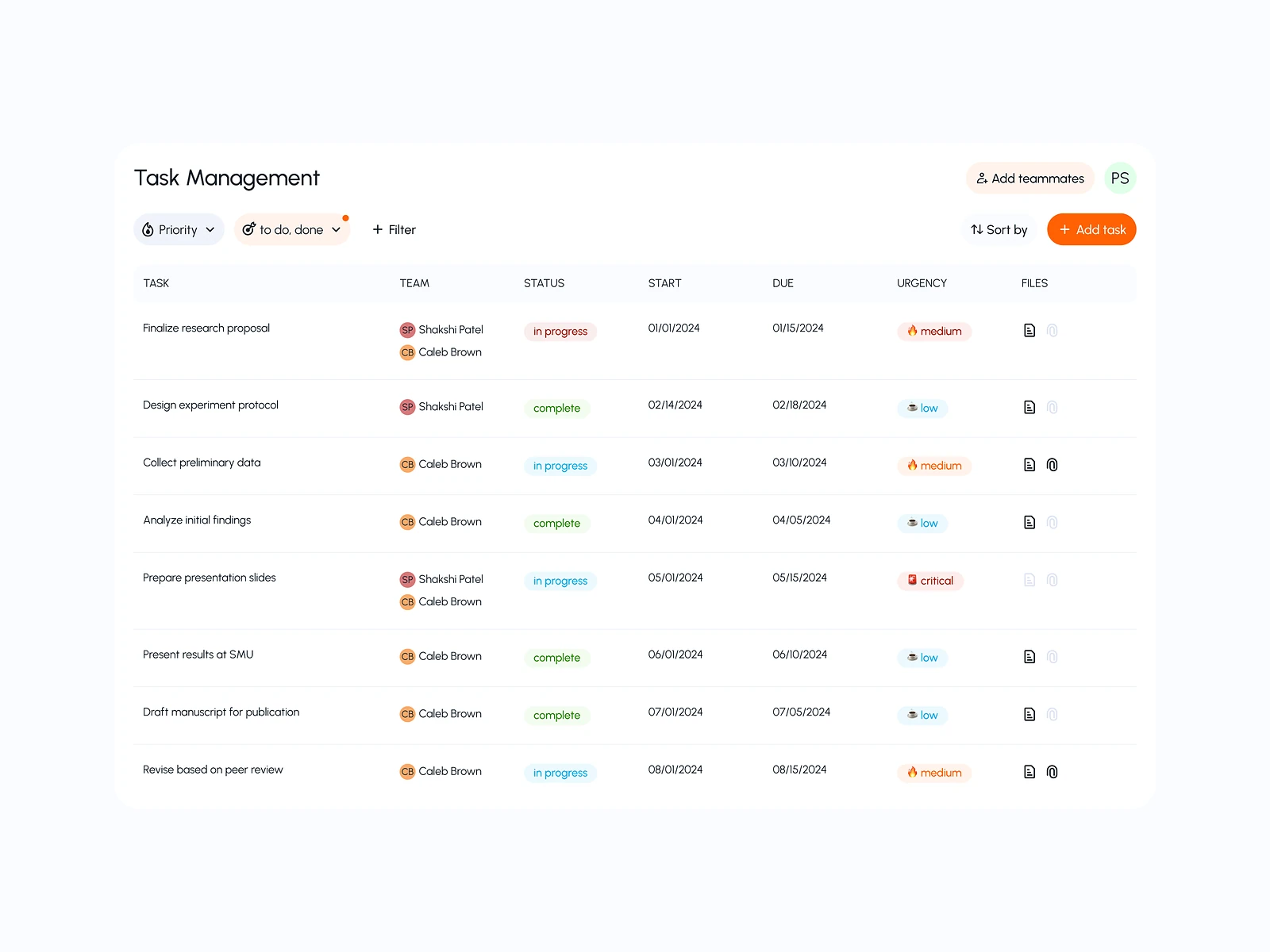
TaskFlow is a task management platform for teams who want clearer workflows, visible priorities and better coordination. Updates appear in real time, so everyone works from the same picture. I designed the product’s flows and interface.

TaskFlow: Collaborative task management
Role
Product design
Type
Freelance
Platforms
Web
Scope
UX, UI design

01The problem

What needed solving

Teams lose time asking who is doing what and which task matters most. Many task tools can do everything, which makes them slow to learn and easy to clutter. TaskFlow needed to stay simple while still handling priorities, workflows and live updates.

Who it’s for

  • Team members

    See their own tasks and today’s priorities without searching.

  • Team leads

    Balance workload and spot blocked work early.

  • Project managers

    Follow progress across a workflow from one shared view.

02The main flow

From new task to done

The moment in blue is the one the whole design is built around.
  1. 01

    Create a task

  2. 02

    Set priority and owner

  3. 03

    Move through stages

  4. 04

    See live updates

  5. 05

    Mark it done

03Structure

How TaskFlow is organised

Everything has one home. Getting this right first keeps every screen simpler.

My work

  • My tasks
  • Today
  • Mentions

Projects

  • Board
  • List
  • Stages

Task

  • Details
  • Subtasks
  • Comments
  • Activity

Team

  • Members
  • Workload

04Key decisions

Choices that shaped it

What I considered, what I chose, and why.

Decision 01

Priority as a fixed field

In many task tools, priority is a hidden label, so everything ends up looking equally urgent.

Considered

A free-form tag that each team could name however it liked.

Chosen

I made priority a fixed field with a few clear levels, shown first on every card and row, and used it to sort My tasks by default.

Why it works

A fixed scale means the same thing to everyone. Sorting by it answers the question people open the app with: what should I do next?

Decision 02

Live updates that don’t interrupt

Real-time updates help coordination, but cards jumping around while someone reads the board are disorienting.

Considered

Reorder the board instantly whenever anyone changes a task.

Chosen

Changes appear in place with a brief highlight, and a small notice offers to refresh the order when several things have moved.

Why it works

People keep their place while still seeing what changed. The board stays live without feeling unstable.

Decision 03

My tasks before the board

Boards show the whole team’s work, but most people start the day asking only about their own tasks.

Considered

Open every user on the project board.

Chosen

I made My tasks the home view, grouped by due date and priority, with the board one click away.

Why it works

Leads still get the full board. Everyone else gets a short list they can act on straight away.

05What’s inside

Key features

Boards and lists

Switch between a board and a list of the same tasks.

Clear priorities

Each task carries a priority that sorts and colours it everywhere.

Real-time updates

Changes from teammates appear as they happen, without losing your place.

Owners and workload

See who owns what and who has too much on.

Comments on tasks

Discussion and decisions stay on the task they belong to.

06Outcome

What was delivered

Delivered

  • User flows for creating, assigning, moving and closing tasks
  • UI design for My tasks, the project board, list view and task detail
  • Interaction states for real-time updates, empty states and errors
  • A component set for cards, priority labels, owners and due dates
  • Hand-off files ready for development

What I learned

  1. 01

    Simple tools come from deciding what to leave out, not from hiding features.

  2. 02

    Real-time updates need as much design as the static screens. Movement on screen is information too.

Next step

Tell me what you're building.
I'll tell you how I'd ship it.

Pick a time that suits you. You'll leave the call with a clear next step, whether we work together or not.

Book a free call

Free · 30 minutes · No commitment

Prefer email? prashantkumarsingh.work@gmail.com