Skip to content

Freelance project · AI products

AI Cover Letter Generator

Cover letters that match each job, written from your own details

AI Cover Letter Generator writes a tailored cover letter by matching a user’s details with a job description. It’s free: users save their information once, track their letters and manage everything from one account. I designed the product, built the front-end and wrote the prompts behind it.

AI Cover Letter Generator: Tailored letters in seconds
Role
Design + development
Type
Freelance
Platforms
Web
Scope
UX, UI design, Front-end, LLM prompts

01The problem

What needed solving

Job seekers know a tailored cover letter helps, but writing a new one for each role is slow, and generic AI letters read like templates. The tool had to match a person’s real experience to what each job asks for, without making them retype their background every time.

Who it’s for

  • Active job seekers

    A tailored letter for each application without starting from scratch.

  • Career changers

    Help linking past experience to a new kind of role.

  • Students and graduates

    A strong first draft when they have little experience to draw on.

02The main flow

From job post to letter

The moment in blue is the one the whole design is built around.
  1. 01

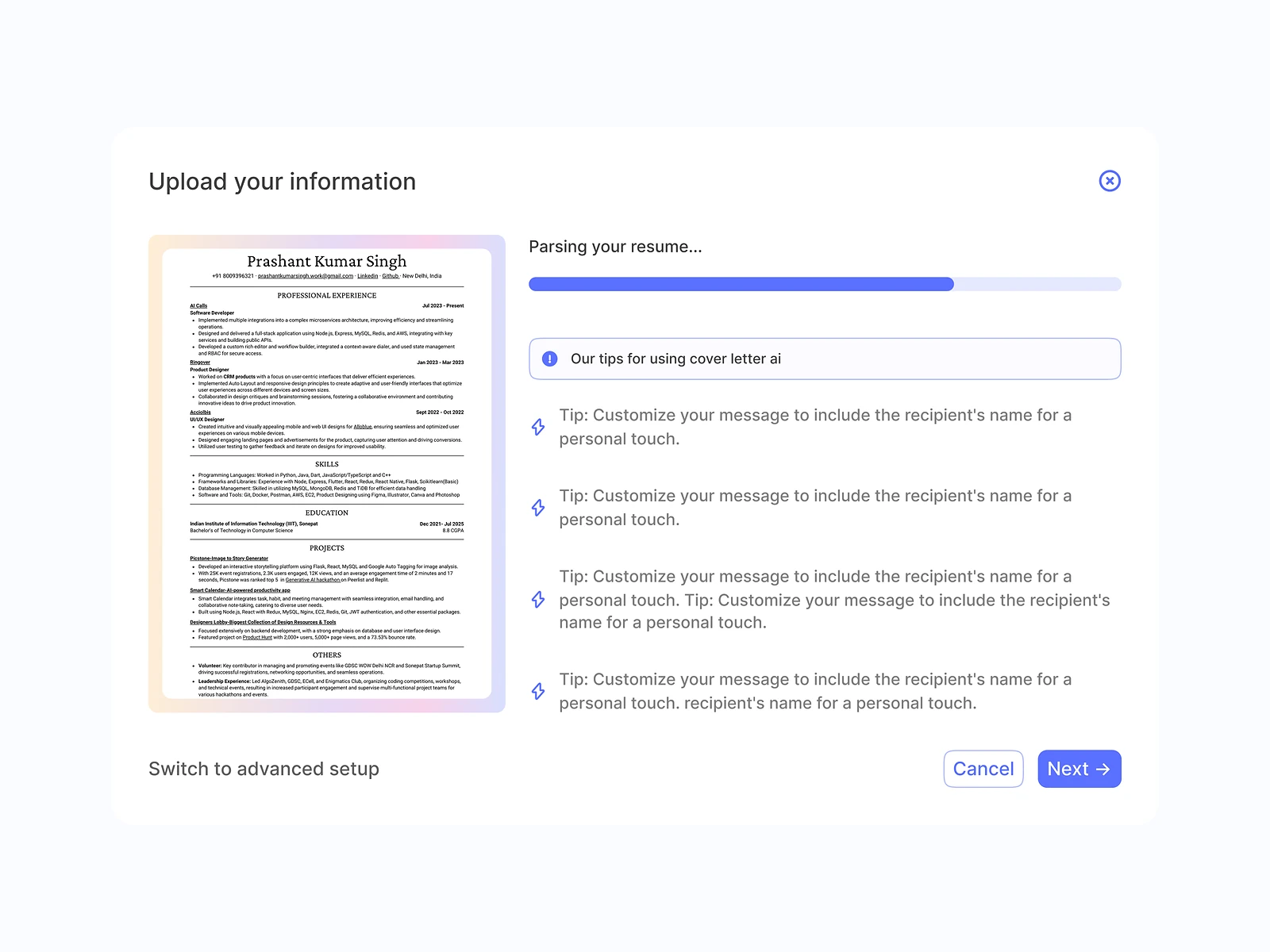
    Save your details

  2. 02

    Paste the job description

  3. 03

    Generate the letter

  4. 04

    Edit and refine

  5. 05

    Save and track

03Structure

How AI Cover Letter Generator is organised

Everything has one home. Getting this right first keeps every screen simpler.

Profile

  • Experience
  • Skills
  • Achievements

Create

  • Job description
  • Tone and length
  • Generated letter

Letters

  • Letter history
  • Role and company

Account

  • Sign in
  • Settings

04Key decisions

Choices that shaped it

What I considered, what I chose, and why.

Decision 01

A saved profile, not a blank form

Asking for experience with every letter is the slowest part of the job, and people give less detail each time.

Considered

A one-off form that asks for background with every new letter.

Chosen

Users save their details once in a profile, and each new letter only needs the job description.

Why it works

It moves the effort to the first visit, so every later letter is quick and still draws on full detail.
Decision 02

Match points, not keywords

Generic AI letters repeat the job post’s keywords without showing why the person fits.

Considered

A template letter with the job’s keywords dropped in.

Chosen

The prompt pairs each key requirement in the job description with a matching point from the profile, and builds the letter around those pairs.

Why it works

Hiring managers read for evidence, not keywords, and pairing keeps every claim tied to the user’s real experience.

Decision 03

Editable letters, tracked history

A generated letter is a draft, and after a few applications people lose track of what they sent where.

Considered

A copy button on the result with nothing saved.

Chosen

Letters open in an editor and save to a history grouped by role and company.

Why it works

Editing keeps the user’s voice in the final letter, and the history doubles as a simple application tracker.

05What’s inside

Key features

Saved profile

Stores experience, skills and achievements once for every letter.

Job matching

Pairs the job’s requirements with the user’s most relevant points.

AI letter writing

Drafts a tailored letter in the chosen tone and length.

Letter editor

Lets users refine the draft before they send it.

Letter history

Tracks every letter by role and company in one account.

06How it was built

Designed and built

I designed it and wrote the code, so the design survived contact with reality.

Interface

  • React
  • Next.js
  • Letter editor

Services

  • Node.js
  • Auth and accounts

AI

  • OpenAI/LLM APIs
  • Matching and writing prompts

Data

  • PostgreSQL
  • Profiles and letters

07Outcome

What was delivered

Delivered

  • Profile setup for experience, skills and achievements
  • Generate flow from job description to letter
  • Editor and letter history in one account
  • Prompt set for matching and writing
  • Free web app, front-end built and connected to the LLM

What I learned

  1. 01

    The best prompt improvement was a better input: a saved profile did more than any clever wording.

  2. 02

    Small tools are judged on the repeat visit, so I designed for the next letter, not just the first.

Next step

Tell me what you're building.
I'll tell you how I'd ship it.

Pick a time that suits you. You'll leave the call with a clear next step, whether we work together or not.

Book a free call

Free · 30 minutes · No commitment

Prefer email? prashantkumarsingh.work@gmail.com